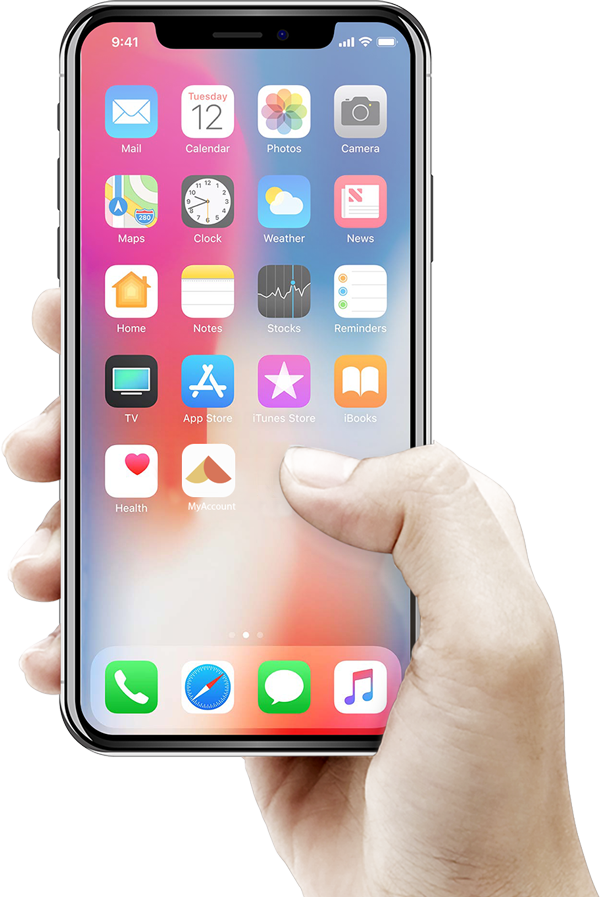
Add MyAccount to your home screen for faster access
We’re pleased to introduce a new feature that makes accessing your MyAccount faster and easier.
Your customers can now add your MyAccount customer portal directly to their phone’s home screen, allowing it to function like a native app — with a single tap for instant access.
Why Add It?
- Log in quickly without searching for the website
- Enjoy a clean, app-like experience
- Access your account, view invoices, and manage payments with ease
Our platform also supports Progressive Web App functionality, meaning:
- It can open in its own standalone window (separate from browser tabs)
- Delivers a clean, app-like experience
- Provides fast and convenient access to MyAccount
How to add MyAccount to your home screen
On iPhone or iPad Safari:
Open Safari and navigate to the MyAccount website.
Tap the Share button.
Find and tap Add to Home Screen.
Confirm or edit the website details and tap Add.
On iPhone or iPad Chrome:
Open Chrome and navigate to the MyAccount website.
On the right of the address bar, tap Share.
Find and tap Add to Home Screen.
Confirm or edit the website details and tap Add.
On Android Chrome:
Open Chrome and navigate to the MyAccount website.
Tap the three-dot menu.
Select Add to Home Screen.
Confirm or edit the website details and tap Add.
Once added, simply tap the icon on your home screen to log in and manage your MyAccount anytime.